
TikTok Photo Download – Save Slideshows
Paste a slideshow link, press Download and every image is saved separately in original quality. You can grab the background music as MP3 too.
vt.tiktok.comvm.tiktok.comtiktok.com/@user/videoPublic posts only. Please respect photographers’ and creators’ copyright.
By using this service you accept our Terms of Service.
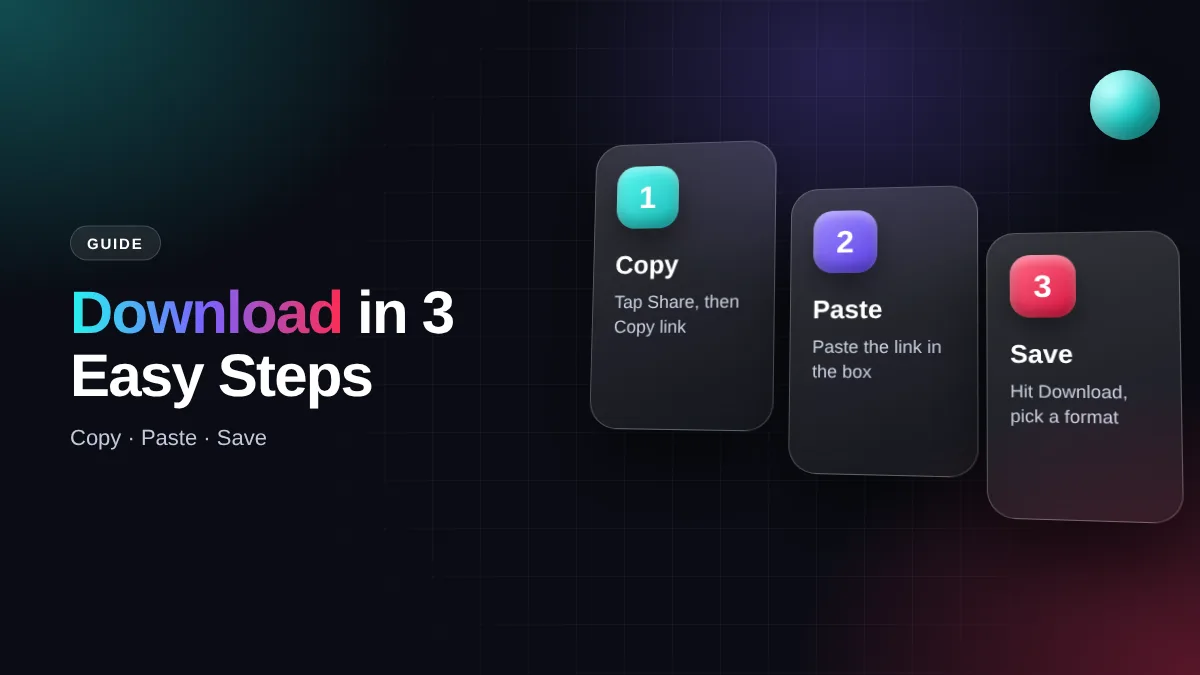
How to download TikTok photos in 3 steps
Works for every photo mode post, from 2 up to 35 images.
Copy the link
Open the slideshow, tap Share, then Copy link.
Paste it here
Come back and paste the link into the box at the top.
Save the images
Press Download. Each slide appears with its own download button.
Tip: Don’t copy the profile link. A slideshow link usually contains /photo/ or is a short vm.tiktok.com link.
What is TikTok photo mode?
Photo mode is a post format with several swipeable images and background music. It works much like an Instagram carousel and is hugely popular for recipes, outfit ideas, study notes and travel dumps.
TikTok has no easy way to save every image at once. Screenshotting each slide is slow, lowers the quality and captures buttons and on-screen text. This tool fetches the original image files straight from the server instead.
What you can save from a slideshow
Single images
Pick only the slides you need, each saved as a JPG.
All slides at once
Download every image from a post without opening them one by one.
Background music
The song behind the slideshow can be saved separately as MP3.
No watermark
Clean images without the TikTok logo, username or interface text.
Download vs screenshot vs TikTok’s own save
| Feature | Download here | Screenshot | TikTok save |
|---|---|---|---|
| Quality | Original resolution | Lower, depends on screen | Often compressed |
| Interface text & buttons | None | Captured | Sometimes watermarked |
| Time for 10 slides | A few seconds | A few minutes | One by one |
| Background music | Yes, MP3 | No | No |
Keep your TikTok photos sharp
TikTok photos are usually uploaded 1080 pixels wide. That’s sharp enough for a phone wallpaper, a presentation slide or a small print. If you need a bigger image, use an upscaling feature in your editor rather than zooming into a screenshot.
Save the images into folders by topic, such as “Recipes” or “Outfits”. It makes finding the right image later much faster than scrolling through hundreds of gallery items.
Save TikTok photos on phone and computer
Android
Images go to the Download folder and show up in Gallery or Google Photos.
iPhone
In Safari, long-press an image and choose Save to Photos, or open Files → Downloads.
Windows & Mac
Right-click the download button and pick Save link as to choose a folder.
Edit and reuse images responsibly
Edit in Canva or Lightroom
Use the images as design references, mood boards or editing practice.
Turn them into a video
Rearrange your own photos into a video for Reels or YouTube Shorts in CapCut.
Slideshow won’t download?
| Problem | Cause | Fix |
|---|---|---|
| Only one image appears | You copied a video link, not a slideshow | Make sure the post is in photo mode |
| “Content not found” | Post deleted or account private | Only public posts can be processed |
| Image opens in a new tab | Browser is displaying it | Long-press the image → Save image |
TikTok photo download FAQ
How many photos can a slideshow have?
TikTok allows up to 35 images per post, and all of them can be downloaded.
Does the quality drop?
No. We fetch the original files with no extra compression.
Is there a watermark?
No. Images are saved clean, without the TikTok logo.
Can I download slideshows from private accounts?
No. We only process public content.
Is it free?
Yes, free with no limits and no sign-up.
SSSTikTok is an independent tool and is not affiliated with TikTok or ByteDance Ltd. All rights to content belong to the original creators.